Congratulations! If you have received the CM Punjab Maryam Nawaz Sharif Nigehban Card, you now have a secure and dignified way to access your Ramadan relief funds. The Punjab government has moved away from traditional ration lines, providing a Rs. 10,000 cash grant directly to your smart card.
While the card is modern and high-tech, using it at an ATM is very simple. This guide will walk you through the six easy steps to withdraw your money safely.

Nigehban Card ATM Quick Facts
| Feature | Details |
| Compatible ATMs | Any ATM with the 1-Link logo |
| Withdrawal Amount | Up to Rs. 10,000 (one-time aid) |
| Security | Requires a secret 4-digit PIN |
| Cost | 100% Free of charge |
| Availability | 24/7 at all bank ATMs |
Before You Go: Activation First
Before you visit an ATM, ensure your card is active. You must generate your secret 4-digit PIN using the Bank of Punjab (BOP) WhatsApp service at 042-111-267-200 or by visiting your local Assistant Commissioner (AC) office. Once your PIN is set, you are ready to use the machine.
Step-by-Step Guide: Using Your Card at the ATM
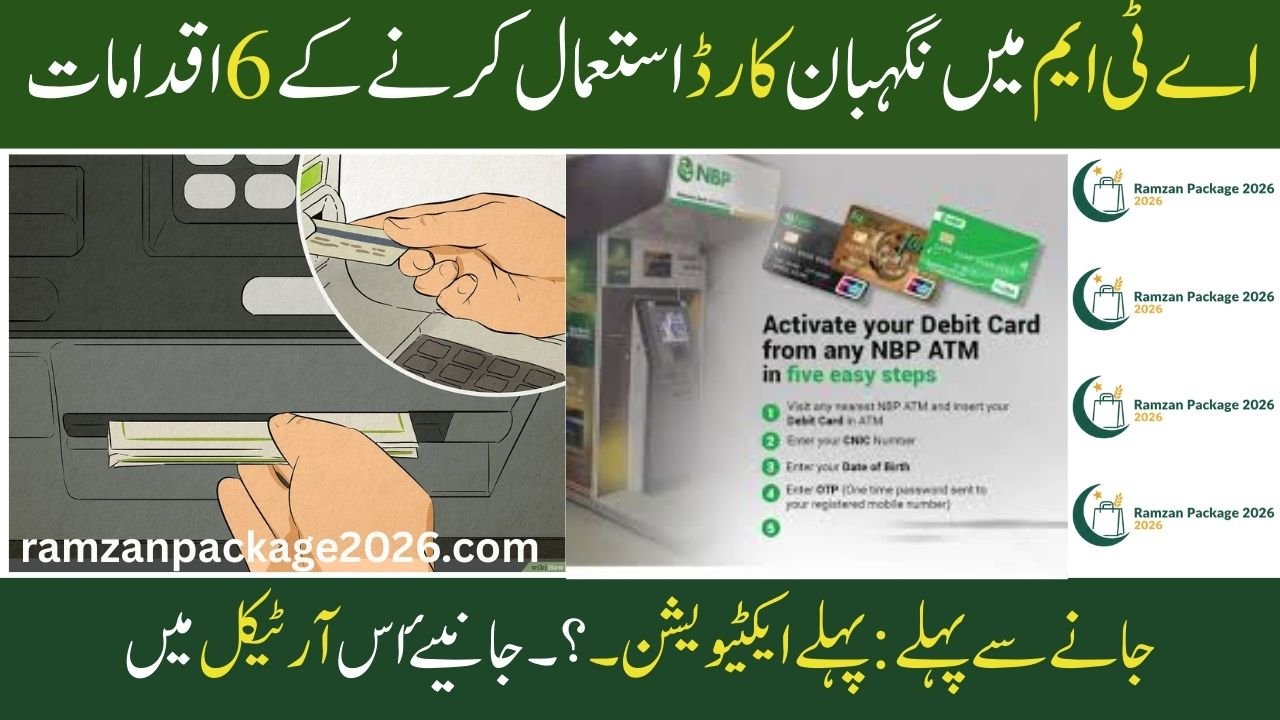
Using an ATM might feel intimidating if it is your first time, but you can follow these six steps for a successful withdrawal:
1. Locate a 1-Link ATM
Look for an ATM machine that displays the 1-Link logo. Your Nigehban Card is compatible with the Bank of Punjab and almost every other major bank in Pakistan.
2. Insert Your Card
Look for the card slot (usually glowing with a green or blue light). Hold your Nigehban Card with the chip facing up and gently push it into the slot. The machine will “Insert Card” and hold it briefly to read your information.
3. Enter Your Secret PIN
The screen will ask for your PIN. Use the metallic keypad located below the screen to type your secret 4-digit number.
Safety Tip: Always cover the keypad with your other hand while typing so that no one else can see your secret code.
Nigehban Card, Easy Way to Withdraw Cash from the CM Punjab Maryam Nawaz Sharif Nigehban Card Agent Network
4. Select “Cash Withdrawal”
Once your PIN is accepted, various options will appear on the screen. Use the buttons on the side of the screen (or touch the screen if it is a touch-model) to select “Cash Withdrawal”. Then, enter the amount you wish to withdraw, such as Rs. 10,000.
5. Collect Your Cash
The machine will process your request for a few seconds. Shortly after, the cash dispenser slot will open. Count your money immediately to ensure it is the correct amount and place it safely in your wallet or pocket.
6. Take Your Card and Receipt
This is the most important step! Wait for the machine to return your Nigehban Card and collect the printed receipt. The receipt is your proof of transaction and will show your remaining balance.
8070 Web Portal: Your Guide to Muft Atta Registration 2026
Important Safety Instructions
To keep your Ramadan relief funds secure, keep these rules in mind:
-
Memorize Your PIN: Never write your PIN on the card or keep it in your wallet on a piece of paper.
-
No Business Use: This card is for your personal welfare only; using it for commercial or business transactions is not allowed.
-
Beware of Scams: No government official or bank staff will ever ask for your PIN over the phone or in person.
-
Report Issues: If the ATM does not give you cash but cuts the balance from your card, contact the Bank of Punjab helpline immediately.

Conclusion
The Nigehban Card is a gift of dignity for the people of Punjab. By following these six simple steps, you can easily access your Rs. 10,000 assistance at any ATM across the province. This system ensures that you receive your full amount without any middlemen or long queues. Keep your card safe, remember your PIN, and use this relief to make your Ramadan a time of peace and joy for your family.
Nigehban Card Congratulations! You have received the CM Punjab Maryam Nawaz Sharif Nigehban Card
(FAQs)
1. Can I use the Nigehban Card at a bank that is not the Bank of Punjab?
Yes. Your card is linked to the 1-Link network, which means it works at almost every ATM in Pakistan, including HBL, UBL, MCB, and others.
2. What should I do if I forget my 4-digit PIN?
If you forget your PIN, do not keep trying wrong numbers, as the card may get blocked. Instead, use the BOP WhatsApp service (042-111-267-200) to reset it or visit your local Assistant Commissioner’s office for help.
3. Is there a fee for withdrawing money from the ATM?
No. The government has ensured that the withdrawal of your Ramadan Relief funds is completely free. You should receive the full Rs. 10,000 without any deductions.
Would you like me to find the location of the nearest Bank of Punjab ATM in your tehsil?